
WinStamp Business
WinStamp OyShopping
3.75.00 Reviews
- Version
- 4.5.5
- Installs
- 50.00K
- Age Rating
- Everyone
Screenshots
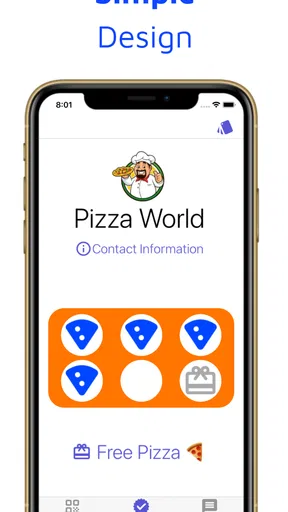
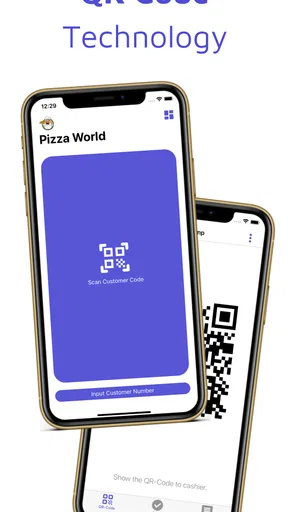
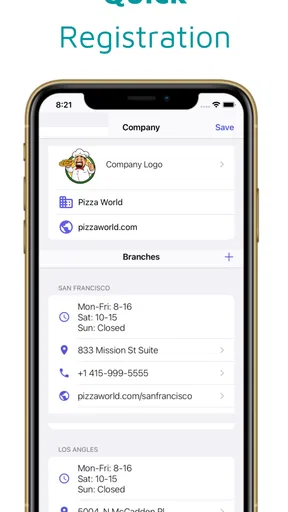
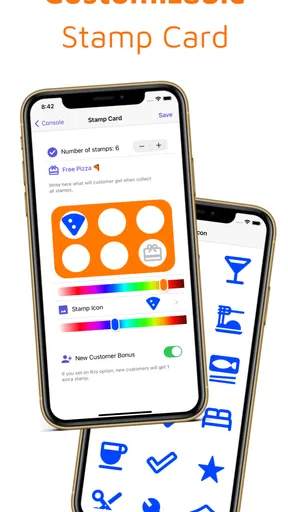
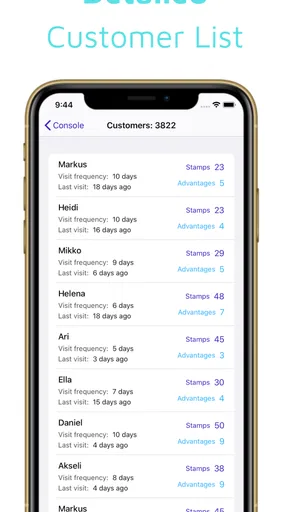
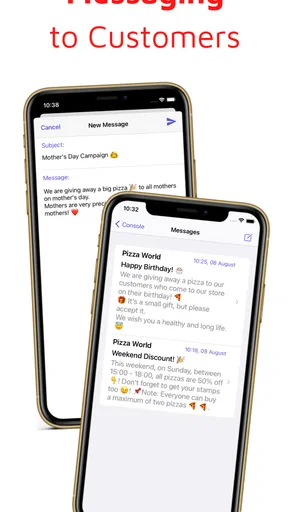
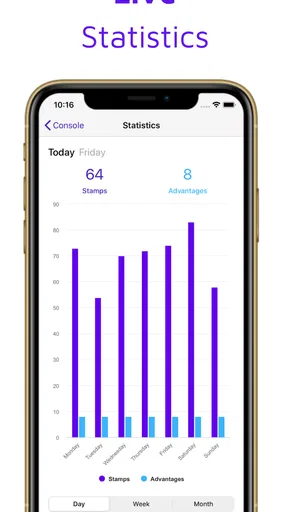
Our Review of WinStamp Business
 Analysis by Appyee
Ever had one of those moments where you find yourself drowning in paperwork, hunting for that elusive invoice or business document? Yeah, I’ve been there too. That’s why I decided to give WinStamp Business a whirl. It promised to be the ultimate organizational tool for businesses, and honestly, who doesn’t need a bit of that in their life?
Getting Started with WinStamp Business
Installing WinStamp Business was a breeze. The app is available on both Android and iOS platforms, so you’re covered no matter what type of device you’re rocking. After a quick download, I was prompted to sign up, which was pretty straightforward. You can even sign in using your Google account if you’re not in the mood to type out yet another email and password combo.
Once inside, the interface greeted me with a clean and intuitive design. It’s always a plus when an app doesn’t require you to have a degree in rocket science to navigate through it. The dashboard displayed all the essential tools right at my fingertips, making it easy to dive into the app’s features without needing a tour guide.
Features That Stand Out
Now, let’s talk about what really makes WinStamp Business shine. The app is all about managing and organizing your business documents, and it brings a host of features to the table to help you do just that.
- Document Scanning: Using my phone’s camera, I could scan documents quickly. The app automatically cropped and adjusted them for clarity. It was like having a mini scanner in my pocket.
- Cloud Integration: WinStamp syncs with major cloud services like Google Drive, Dropbox, and OneDrive. This means no more frantic searches through different services; everything is in one place.
- Custom Labels: I loved being able to tag documents with custom labels. Need to find all your invoices? Just search by the invoice tag, and bam, there they are.
- Secure Sharing: Sharing documents securely with team members or clients was super easy. You can set permissions and even password-protect files.
Performance and Usability
Now, I bet you’re wondering how it actually performs. Well, I’m happy to report that WinStamp Business is as smooth as butter. I didn’t experience any lag or crashes during my time using the app, which is crucial when you’re dealing with important business documents. The app loads quickly, and the scanning process is impressively fast.
Usability-wise, the app scores high marks. The learning curve is practically non-existent. All the features are neatly organized, and the help section is there if you need a nudge in the right direction. It’s designed to make your life easier, not complicate it further.
Final Thoughts
So, would I recommend WinStamp Business? Absolutely. It’s a fantastic tool for anyone looking to streamline their document management. Whether you’re a small business owner, freelancer, or just someone who loves having their paperwork in order, this app is worth checking out. With its user-friendly interface and robust features, WinStamp Business has got your back when it comes to keeping your business organized.
In a world where time is money, having a tool that helps you stay on top of your documents is invaluable. So, if you’re looking to ditch the paper chaos and embrace digital organization, give WinStamp Business a shot. You might just find it becomes your new best friend in the business world.
Verdict
Strengths of WinStamp Business
- User-friendly interface for easy navigation.
- Comprehensive tracking of business expenses.
- Seamless integration with accounting tools.
- Customizable reports for detailed insights.
- Secure data storage with encryption.
Limitations of WinStamp Business
- Limited free features; requires subscription.
- Occasional sync issues with bank accounts.
- Interface can be slow during peak times.
- Customer support response can be delayed.
- No offline mode available for mobile use.
Similar Picks in This Category
View All
SHEIN-Shopping Online
Roadget Business PTE. LTD.4.8

Amazon Shopping
Amazon Mobile LLC4.4


Mercado Libre: Compras online
Mercado Libre4.8

Wish: Shop and Save
Wish US Holdings LLC4.7

Alibaba.com - B2B marketplace
Alibaba Mobile4.4
Frequently Asked Questions
What is WinStamp Business and how can it help my company?
WinStamp Business is an app designed to streamline business operations by providing tools for time management, task scheduling, and client interaction. It helps companies improve productivity by offering features such as project tracking, team collaboration, and real-time updates. It's particularly beneficial for small to medium-sized enterprises looking to optimize their workflow.
Is WinStamp Business compatible with both Android and iOS devices?
Yes, WinStamp Business is available for download on both Android and iOS platforms. It ensures cross-platform compatibility, allowing users to seamlessly access their accounts and manage business operations on any device. This flexibility is ideal for businesses with team members using different operating systems.
Does WinStamp Business offer integration with other business tools?
WinStamp Business supports integration with popular business tools such as Google Workspace, Microsoft Office, and Slack. This allows users to synchronize their data and enhance their productivity by utilizing familiar tools within the app. Such integrations facilitate a more cohesive workflow, minimizing the need to switch between different applications.
What are the main advantages and disadvantages of using WinStamp Business?
The main advantages include its user-friendly interface, robust features for team collaboration, and seamless integration with other business tools. However, some users may find the initial setup complex, and certain advanced features might require additional purchases. Understanding these pros and cons can help businesses make an informed decision before committing.
Is there a free version of WinStamp Business available?
WinStamp Business offers a free trial version that allows users to explore its basic features without any cost. This is an excellent opportunity to evaluate the app's suitability for your business needs. For full access to all features, a subscription is required, which provides additional functionalities and enhanced support options.
